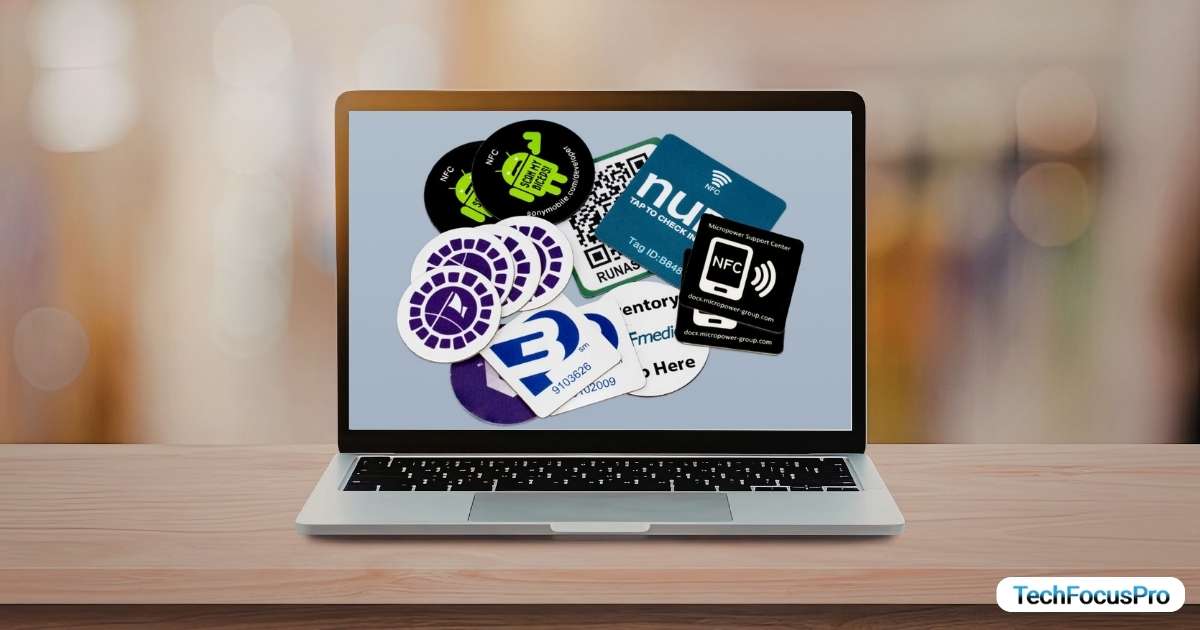
A website NFC tag is a small wireless chip that lets people open a website just by tapping their phone on it. NFC stands for Near Field Communication. It is a short-range technology that allows devices to share data when they are very close, usually within a few centimeters.
In simple terms, an NFC tag stores a web link. When someone taps their smartphone on the tag, the phone reads the link and opens the website automatically. There is no need to type a URL or scan anything.
These tags are often placed on physical items like business cards, posters, product packaging, or tables in cafes. For example, a restaurant can use an NFC tag on a table so customers can tap and instantly view the digital menu.
Most modern smartphones support NFC. Android devices have supported it for years, and newer iPhones can also read NFC tags without needing extra apps.
How Does a Website NFC Tag Work?
An NFC website tag works in a very simple way. It connects a physical object to a web link using short-range wireless communication.
Here is how it happens step by step:
First, the NFC tag is programmed with a website URL using a mobile app. This link is stored inside a small chip in the tag.
When a person brings their smartphone close to the tag, the phone’s NFC feature detects the chip. This only works at a very short distance, usually a few centimeters.
As soon as the phone reads the tag, it pulls the stored URL. The phone then opens the website automatically in the browser or shows a prompt to open it.
The best part is that most modern smartphones do not need any extra apps for this. NFC works in the background on many Android devices and newer iPhones.
This whole process takes just a second. Tap, read, and open. That is why website NFC tags are a fast and contactless way to share links in real life.
NFC Tag Detected on iPhone or Android? Quick Solution Inside
If your phone shows “NFC Tag Detected”, it means your device is picking up a nearby NFC chip. This can be from a card, sticker, or even something inside your phone case. It is usually not harmful, but if it keeps showing up again and again, you can fix it by following these steps.
Fix on Android Devices
Step 1: Turn Off NFC
- Go to Settings
- Tap Connections or Connected Devices (name may vary)
- Find NFC
- Turn NFC OFF
This will completely stop your phone from scanning NFC tags.
Step 2: Check Your Phone Case or Wallet
Sometimes the issue is caused by:
- Debit or credit cards
- ID cards
- NFC tags inside your phone cover
Remove these items and check if the notification stops.
Step 3: Restart Your Phone
- Press and hold the power button
- Tap Restart
This can fix small bugs that trigger repeated NFC detection.
Step 4: Check Default NFC Apps
- Go to Settings
- Tap Apps
- Look for apps using NFC (like payment apps)
- Disable or adjust permissions if needed
Fix on iPhone
iPhones handle NFC differently, so you won’t find a direct OFF switch in most cases.
Step 1: Avoid Nearby NFC Tags
Move your phone away from:
- Cards in your case
- NFC-enabled objects
- Smart accessories
Step 2: Check Apple Pay Settings
- Go to Settings
- Tap Wallet & Apple Pay
- Turn off options like Double-Click Side Button (optional)
This reduces accidental NFC scanning.
Step 3: Restart Your iPhone
- Press and hold the Power Button + Volume Button.
- Slide to power off, then turn it back on.
Read Also: What Does the Lock Mean Beside a URL?
Types of Website NFC Tags
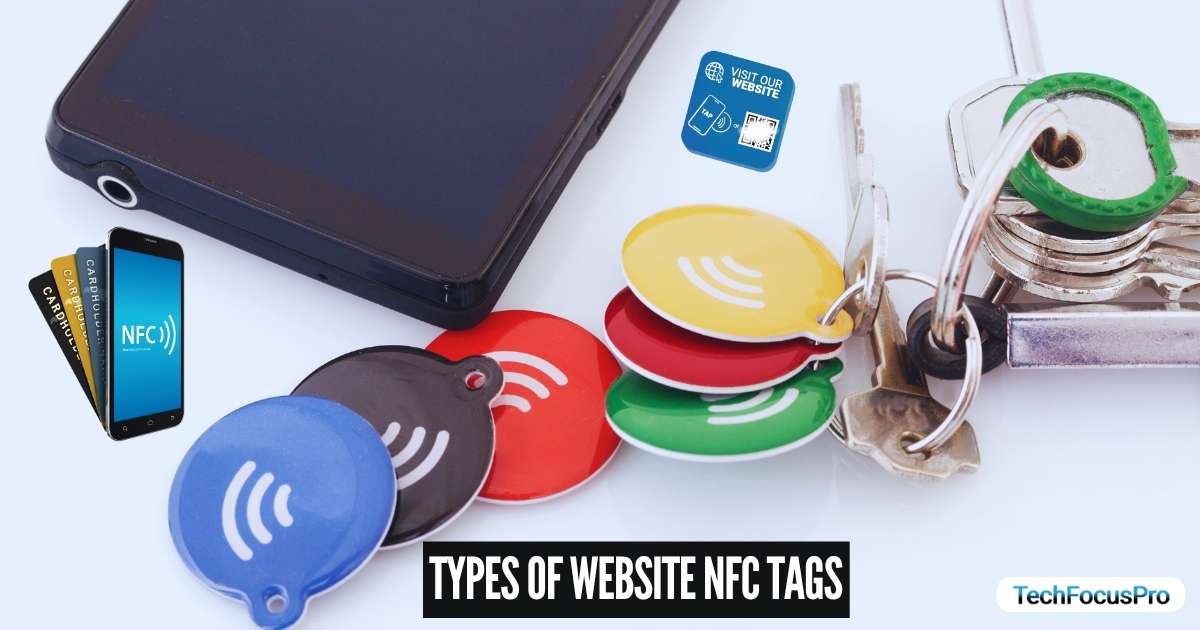
Website NFC tags come in different forms. Each type is designed for a specific use, depending on where and how you want people to tap and access your website.
NFC Stickers
NFC stickers are the most common type. They are small, thin, and can stick to almost any surface.
They are affordable and very easy to use, which makes them perfect for beginners. Businesses often place them on product packaging, posters, or flyers. When someone taps the sticker, it instantly opens the website.
NFC Cards
NFC cards look like regular plastic cards but have a chip inside. They are often used as smart business cards.
They give a more professional feel and are more durable than stickers. You can share your website, portfolio, or contact page with just one tap during meetings or events.
NFC Keychains and Wearables
These are portable NFC tags that people can carry or wear. Examples include keychains, wristbands, or badges.
They are convenient for personal use or branding. For example, a freelancer can use an NFC keychain to quickly share their website, or a brand can use wearable tags at events.
NFC Embedded Products
These tags are built directly into physical items like posters, tables, or product packaging.
They are widely used in retail stores, cafes, and exhibitions. For example, a customer can tap a table NFC tag to open a menu or tap product packaging to view details or tutorials online.
Benefits of Using Website NFC Tags
Website NFC tags make it easier for people to connect with your website in real life. They remove extra steps and create a faster and smoother experience for users.
- Instant access – Users can open your website with just one tap, without any delay
- No typing needed – People don’t have to enter long URLs, which reduces errors
- Fast experience – The whole process takes just a second, making it very convenient.
- Better engagement – Easy access encourages more users to interact with your content.
- Higher conversions – When access is simple, users are more likely to take action.
- Contactless use – No physical touch is needed, which is ideal for modern environments
- Offline to online connection – You can turn physical items like posters into traffic sources.
- Time-saving – It reduces effort and saves time for both users and businesses.
- Great for marketing – Helps improve campaign results by making access quick and easy.
In short, website NFC tags help you deliver a faster, easier, and more modern user experience while also improving your marketing results.
Common Use Cases of Website NFC Tags
Website NFC tags are used in many everyday situations. They help people open a website quickly by just tapping their phone. This saves time and makes things simple for everyone.
Business Cards
NFC tags can turn a normal business card into a smart card. When someone taps their phone, it can open your website, portfolio, or contact page right away. This means you don’t need to explain your details again and again. It also makes you look more professional and modern.
Marketing Campaigns
Businesses use NFC tags on posters, banners, and flyers to attract more people. Instead of typing a link, users can just tap and visit a landing page. This makes it easier for people to take action, which can increase clicks, sign-ups, or sales.
Restaurants and Cafes
In restaurants, NFC tags are placed on tables or near the counter. Customers can tap to open a digital menu or order food online. This reduces waiting time and helps staff manage orders better. It also keeps things clean and contactless.
Events and Exhibitions
At events, NFC tags help share important information quickly. Visitors can tap to check schedules, register for sessions, or learn about products. This avoids confusion and helps people get the information they need without asking around.
Product Packaging
Brands use NFC tags on product boxes to give extra information. Customers can tap to see details, watch tutorials, or read reviews before or after buying. This builds trust and helps customers understand the product better.
How to Create a Website NFC Tag (Step-by-Step)
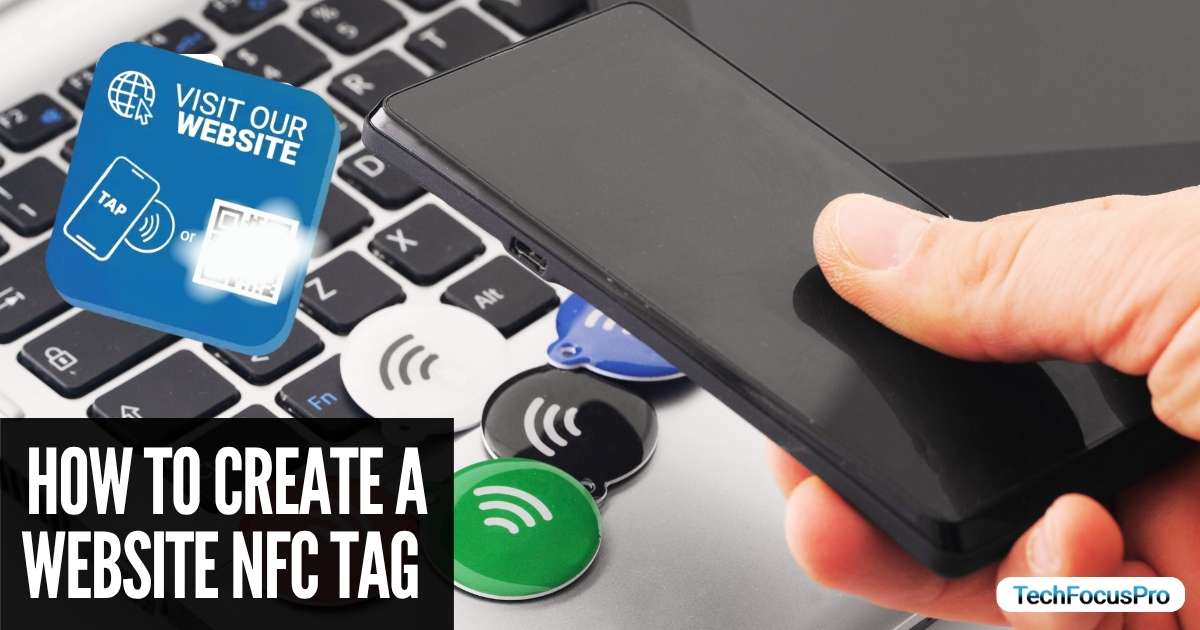
Creating a website NFC tag is simple, but doing each step properly helps you get better results. Here’s a more detailed guide to help you do it the right way.
Step 1: Buy an NFC Tag
Start by choosing the right type of NFC tag. You will find stickers, cards, and keychains in the market. Stickers are great for posters and packaging, while cards work well for business use.
Also, check the storage size (like NTAG213, NTAG215, NTAG216). For a simple website link, most basic tags will work fine. Try to buy from a trusted seller so the tag works properly.
Step 2: Turn On NFC on Your Phone
Before writing the tag, make sure NFC is enabled on your phone.
- On Android, you can find it in settings under “Connections” or “Wireless.”
- On the iPhone, newer models already have NFC enabled by default.
If NFC is off, your phone will not detect the tag, so this step is important.
Step 3: Install an NFC Writing App
You need an app to store your website link on the tag. Apps like NFC Tools or NXP TagWriter are popular and easy to use.
These apps let you write, edit, and even lock the tag. They also show if the writing was successful, which helps avoid mistakes.
Step 4: Enter Your Website URL
Open the app and choose the option to add a new record. Then select “URL” or “Website.”
Enter your full website link carefully, including “https://”. If the link is wrong, the tag will open the wrong page. You can also use a short or tracked link to measure traffic later.
Step 5: Write the Data to the Tag
Once your link is ready, tap the “Write” button in the app. Then bring your phone close to the NFC tag.
Hold it steady for a second until the app confirms the data is written. If you move the phone too quickly, it may fail, so take your time here.
Step 6: Test the NFC Tag
After writing, always test the tag. Tap it with your phone and check if the correct website opens.
It’s better to test it on more than one device if possible. This ensures that your tag works for most users without issues.
Step 7: Place the Tag Smartly
Where you place your NFC tag matters a lot. Put it somewhere easy to see and reach.
For example, place it on a table corner, product box, or poster at hand level. You can also add a small message like “Tap here” so people know what to do.
Step 8: (Optional) Lock the Tag
If you don’t want anyone to change your link, you can lock the tag using the app.
Once locked, the data cannot be edited again. This is useful for business use, but make sure everything is correct before locking, because you cannot undo it.
Website NFC Tag vs QR Code
| Feature | Website NFC Tag | QR Code |
| How it works | User taps their phone on the tag to open the website | User scans the code using a camera to open the website |
| Speed | Very fast, opens instantly with a tap | Slightly slower, needs camera focus and scan |
| Ease of use | Very simple, just tap and it works | Requires opening camera or scanner app |
| User effort | Low effort, no extra steps | Needs alignment and scanning |
| Device support | Works on most modern smartphones with NFC | Works on almost all smartphones with a camera |
| Internet needed | Yes, to open the website | Yes, to open the website |
| Cost | Requires buying NFC tags | Free to create and print |
| Durability | Can wear out if damaged physically | Printed codes can fade or get damaged |
| Design impact | Hidden or clean look, no visual clutter | Visible pattern, can affect design |
| Security | Can be locked to prevent changes | Anyone can copy or recreate the code |
| Best use cases | Business cards, events, smart products | Posters, packaging, public campaigns |
SEO and Marketing Benefits of NFC Tags
NFC tags can play a strong role in your marketing strategy. They help you bring more people to your website and make it easier to track and improve your results.
- Drive direct traffic to your website – Users can tap and land on your site instantly, which increases the number of direct visits without extra steps.
- Improve offline marketing ROI – You can place NFC tags on flyers, posters, or products and turn offline attention into real website traffic, making your campaigns more effective.
- Track performance with UTM links – By adding tracking links, you can see how many users visited your site through each NFC tag and measure what is working best.
- Increase engagement rates – Easy access encourages users to stay longer, explore more pages, and interact with your content.
In simple words, NFC tags help you get more traffic, track your results, and make your marketing campaigns more successful.
Security and Limitations of NFC Tags
NFC tags are simple and useful, but they are not perfect. There are a few things you should understand before using them.
One important point is that the data on an NFC tag can be changed if the tag is not locked. This means someone could replace your website link with a different one. To avoid this, you should lock the tag after setting it up.
Another limitation is the short range. NFC only works when the phone is very close to the tag, usually just a few centimeters away. While this helps with safety, it also means users must tap their phone properly for it to work.
You may also face issues with older devices. Some older smartphones do not support NFC, or they may need an extra app to read the tag. This can limit how many people can use your NFC tag easily.
To keep your NFC tags safe, it is a good idea to use trusted apps, double-check your links, and test the tags regularly. Locking the tag is also one of the best ways to prevent misuse.
Best Practices for Using Website NFC Tags
Using NFC tags the right way can make a big difference. If you set them up properly, more people will tap and visit your website without confusion.
First, always use a clear call-to-action near the tag. People should know exactly what to do. Simple text like “Tap here to visit our website” or “Tap to see the menu” works well. Without instructions, many users may ignore the tag.
Next, place the tag where it is easy to reach. If people have to struggle to find or tap it, they won’t use it. Good spots include table corners, eye-level posters, or product packaging that hands can easily reach.
It is also important to use short and clean URLs. Long or messy links can slow things down or look untrustworthy. You can use short links or branded links to keep things simple and professional.
Tracking performance is another smart step. By using tracking links, you can see how many people are tapping your NFC tag. This helps you understand what is working and what needs improvement.
Finally, always test your NFC tag before using it publicly. Tap it with different phones and make sure it opens the correct page quickly. This helps you avoid problems and gives users a smooth experience.
Future of Website NFC Tags
NFC tags are becoming more popular as technology keeps improving. In the coming years, they are expected to play a bigger role in how businesses connect with people.
One major trend is the growing use of NFC in smart marketing. Businesses are always looking for faster and easier ways to reach customers.
NFC tags make this possible by allowing instant access to websites, offers, and content with just a tap. As more brands focus on user experience, NFC will be used more in campaigns and promotions.
Another important area is integration with IoT devices. IoT means smart devices that are connected to the internet, like smart homes, machines, and systems.
NFC tags can work with these devices to trigger actions, open control panels, or connect users to related web pages. This will make everyday technology more connected and easier to use.
There is also a strong shift toward contactless technology. People now prefer touch-free solutions because they are faster and more convenient.
NFC fits perfectly into this trend since it works without physical contact. From payments to menus to product information, contactless experiences are becoming the new normal.
FAQs About Website NFC Tags
What is a website NFC tag used for?
An NFC tag is used to open a website with a simple tap. It helps businesses share links quickly without asking users to type anything.
Do NFC tags need the internet?
Yes, NFC itself does not need internet, but your phone needs internet to open the website stored on the tag.
Can an iPhone read NFC tags?
Yes, newer iPhones support NFC and can read tags without extra apps. You just need to bring the phone close to the tag.
Are NFC tags better than QR codes?
NFC tags are faster and easier because they work with a tap. QR codes are more common and free to use. The better option depends on your needs.
How much do NFC tags cost?
NFC tags are usually low-cost. Simple stickers are cheap, while cards or custom tags may cost more depending on quality.
Why am I getting a website NFC tag notification?
You may see this notification when your phone detects a nearby NFC tag. It can happen if NFC is turned on and your phone is close to a tag in a card, table, or device.
How to remove a website NFC tag on an iPhone?
You cannot remove a public NFC tag, but you can stop notifications by turning off NFC scanning or avoiding contact with the tag. You can also ignore the notification if it appears.
Is an NFC tag a tracker?
No, an NFC tag is not a tracker. It does not track your location or activity. It only stores small data, like a website link, and works when you tap it.
Final Thoughts
Website NFC tags are a simple but powerful way to connect people to your website. With just one tap, users can access your content without typing or scanning anything. This makes the experience fast, smooth, and easy.
They are useful for many purposes, like business cards, marketing campaigns, restaurants, and product packaging. When used correctly, they can help increase traffic, improve user engagement, and make your brand look more modern.
However, it is important to set them up properly. Use clear instructions, place them in easy-to-reach spots, and test them before use. Taking these small steps can make a big difference in results.